HOW IT WORKS
How Gaugely works
Gaugely runs the top of your hiring funnel as one loop: AI drafts the job description, ranks the CVs, interviews candidates by voice or video with real follow-ups, and lines up evidence-backed scorecards — then a human decides. Candidates get disclosure before recording and honest feedback after. Here is each step, with real screenshots.
For recruiters: JD to decision in five steps
1. Create the job — or let AI write the description
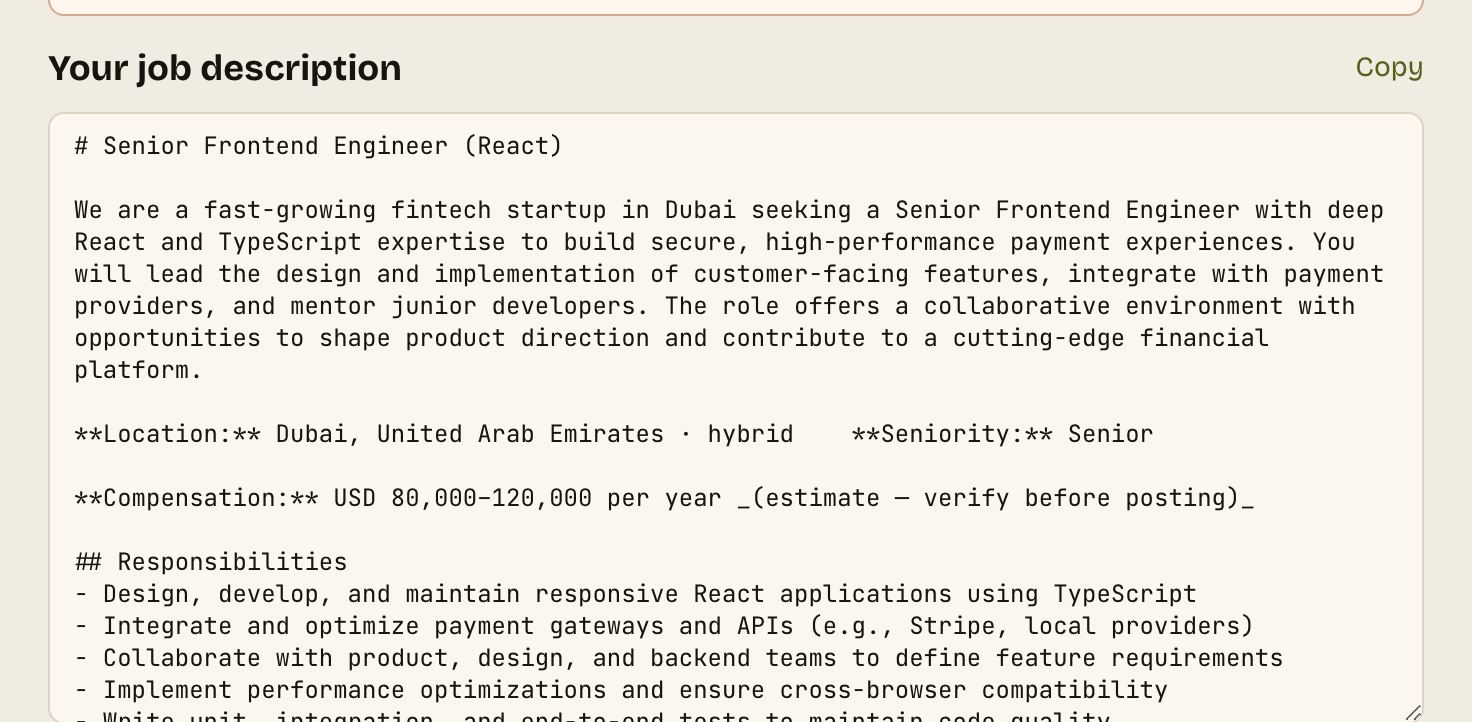
Start from a one-line brief ("senior React engineer, fintech, 5 years") and the free JD generator writes a complete, bias-checked job description with a compliant pay range. Edit anything, then turn it into a structured interview in one click — questions grounded in the JD, scored against a rubric you can see.
2. Upload CVs — get a ranked shortlist with evidence
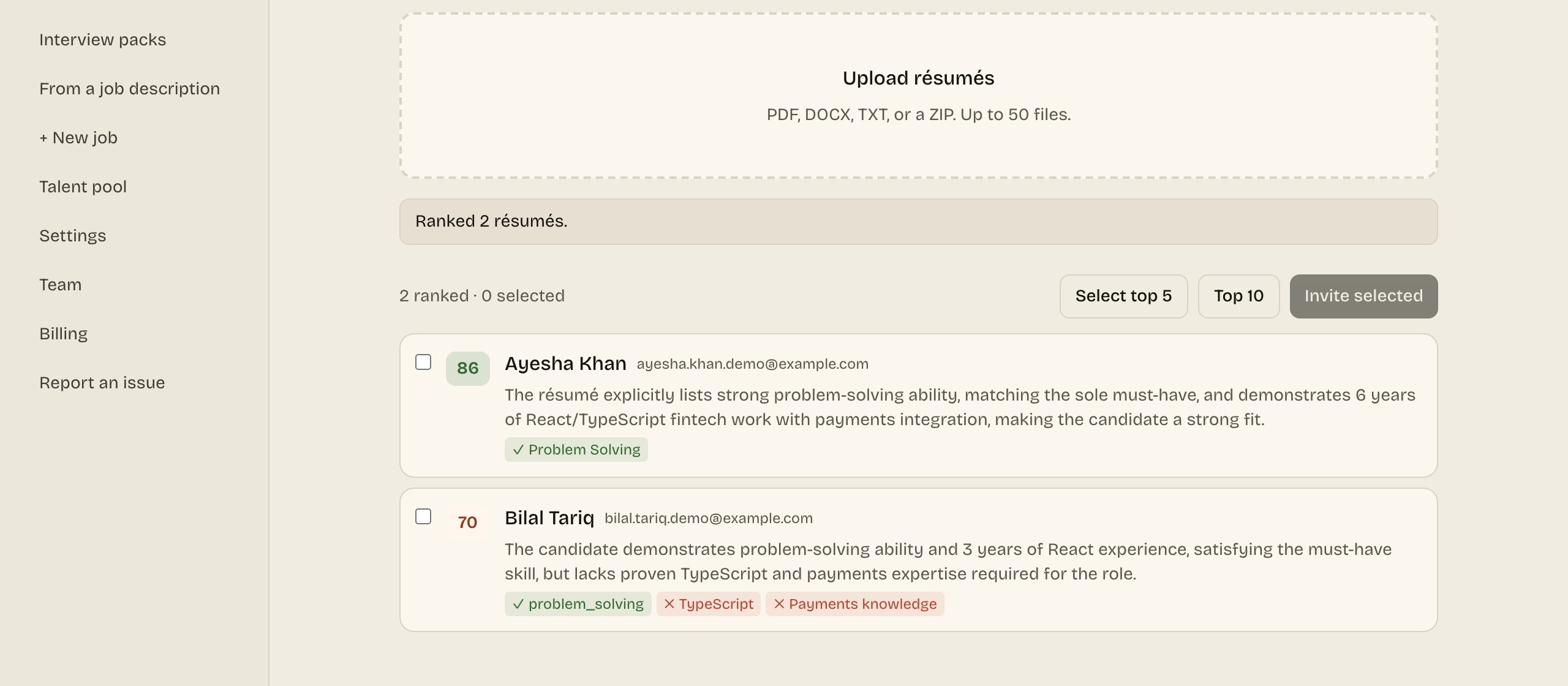
Drop in résumés (PDFs, DOCX, or a whole ZIP). Each one is parsed and scored 0–100 against the job description's must-have skills, with explicit matches and gaps shown. You review the evidence and pick who moves forward — no unread pile, no keyword lottery.
3. Invite candidates — one, forty, or a CSV of hundreds
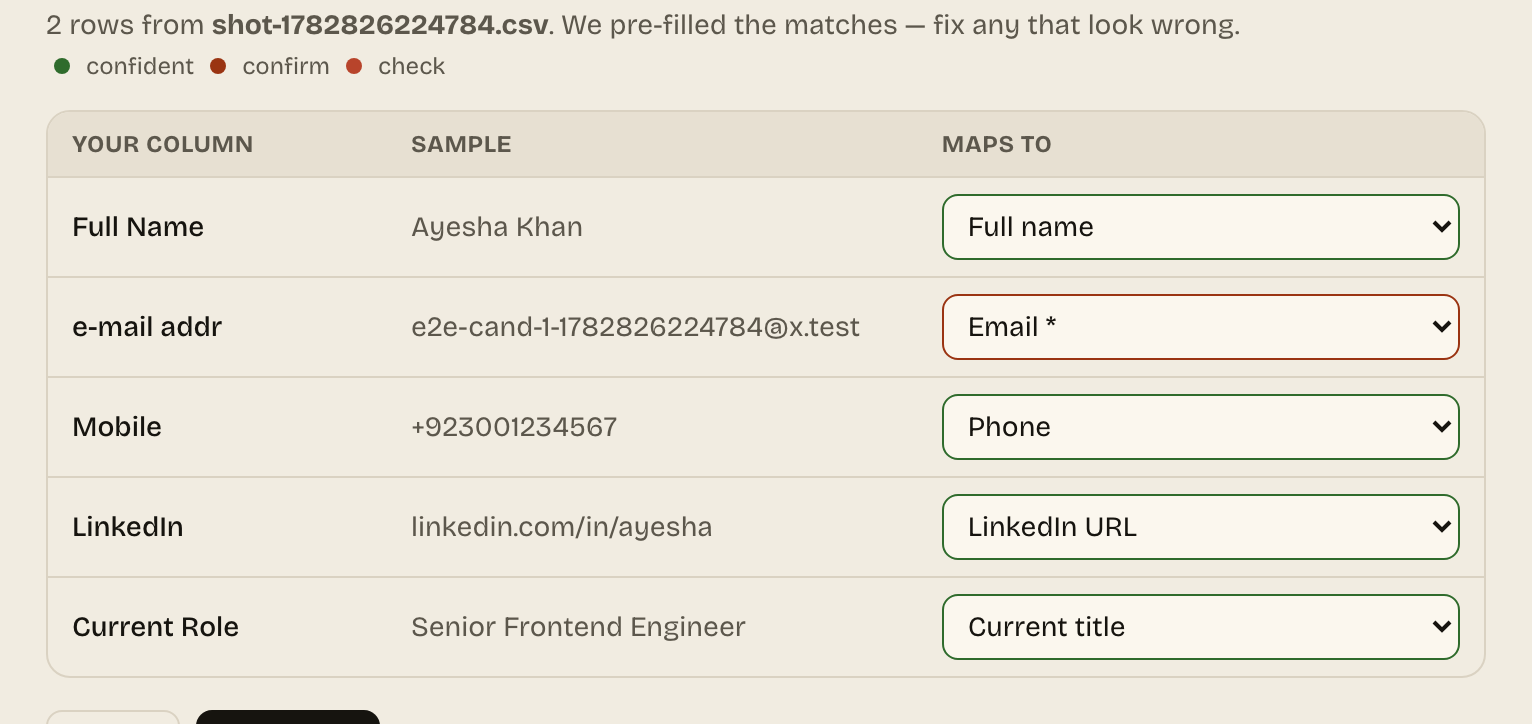
Invite your shortlist in one click, or upload a CSV with any column names — AI maps the columns, validates emails, removes duplicates, and sends everyone a one-click interview link. Candidates don't schedule anything; they start whenever they're ready.
4. The AI runs the interviews — you watch the pipeline fill
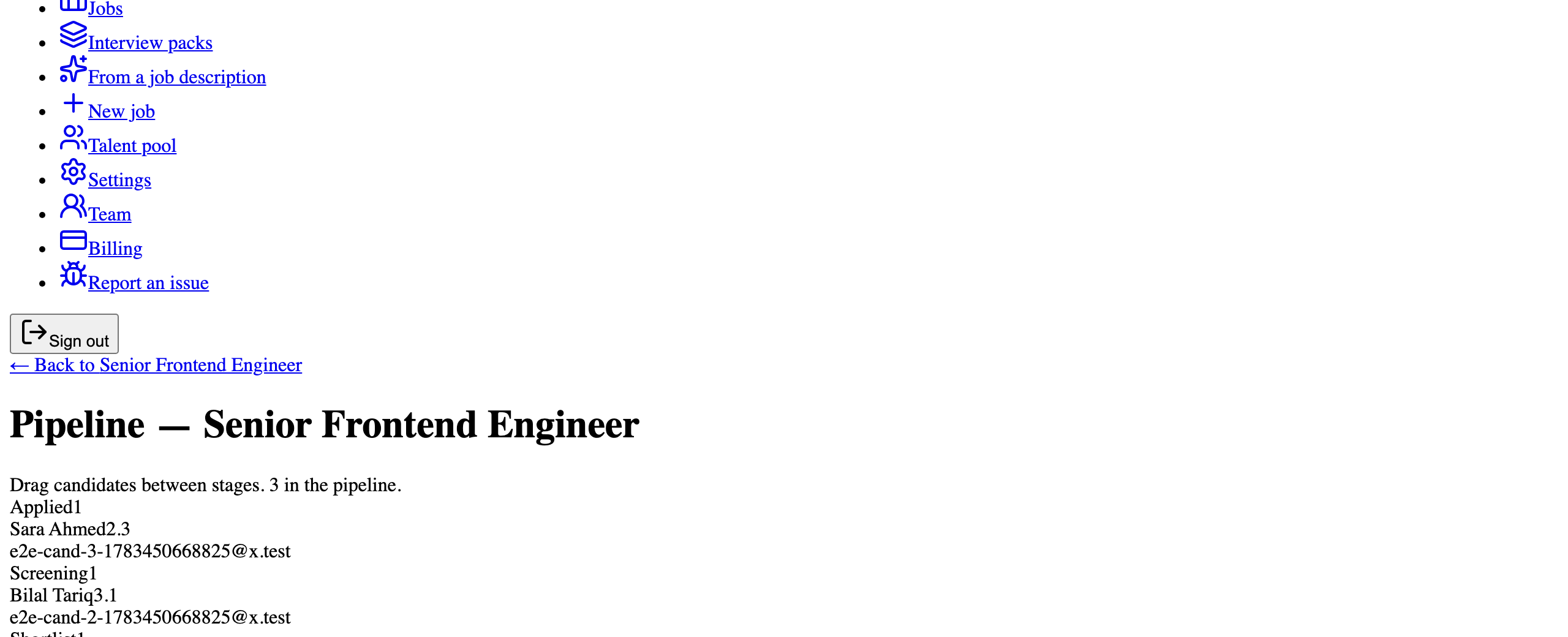
An AI agent conducts each interview live: your structured questions, real follow-up probing, behavioral and technical (with a live code editor) in one call. Consent comes first, coverage and timing are enforced deterministically, and every answer is transcribed. Your pipeline view shows who's invited, in progress, and scored — in real time.
5. Compare scorecards — and make the call yourself
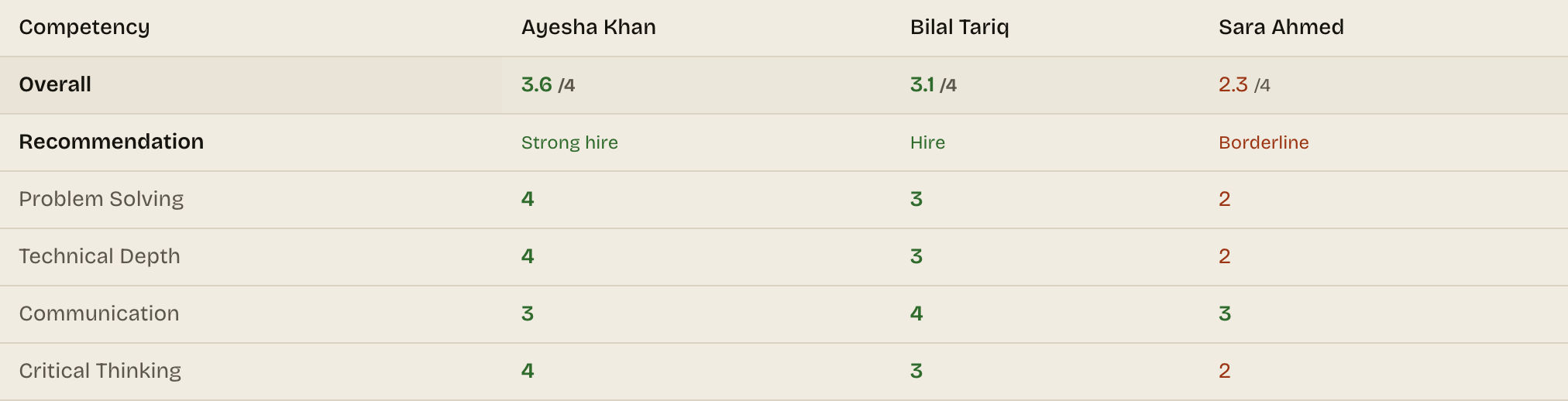
Every interview lands on the same rubric, every score cites the candidate's own words, and the comparison view lines candidates up side by side across every competency. Integrity flags (tab switches, presence checks, plagiarism) appear as evidence for your review. You decide — Gaugely never auto-rejects anyone.
For candidates: what an interview is actually like
No screenshots here on purpose — the candidate side is a conversation, and you can take a live practice interview yourself, free, no signup.
1. You get a personal invite link
The email says up front that an AI conducts the interview — no surprises mid-call. Your link works whenever you're ready: 9pm after work counts. No account, no app download; it runs in the browser.
2. You see exactly what happens before anything records
The consent screen lists what's captured (voice; camera or screen-share only if the role requires it), why, and how long it's kept. Nothing records until you agree. If identity verification is enabled for the role, it takes about a minute — and protects you from competing with fakes.
3. A real conversation, not a form with a timer
The AI interviewer asks the structured questions every candidate gets, listens, and asks follow-ups on what you actually said. Technical roles can include a live coding exercise in the same call. It keeps time honestly so you're never cut off by surprise.
4. A human reviews your interview — nobody is auto-rejected
Your answers become a scorecard where every score quotes your own words. A named recruiter reads it and makes the decision. AI scores; humans decide — that's a hard rule, not a slogan.
5. You hear back — with feedback, not silence
When the job closes, if you opted in, you get honest, personalized feedback drawn from your own interview: what you did well and what to improve, with a private portal showing your competency breakdown and a study plan. Being ghosted is the worst part of job hunting; we removed it.
Experience the candidate side with a live practice interview, or inspect the recruiter output on a full sample scorecard — both free, neither needs an account.
Questions people ask
How long does setup take for recruiters?
Minutes. Paste a job brief, let the JD generator draft the description, auto-generate the interview, and send the first invites — the free tier (~12 interviews/month, no card) exists precisely so you can run the whole loop before paying anything.
Do candidates need to install anything?
No. Interviews run in the browser on desktop or mobile — candidates click their invite link, consent, and talk. There is no scheduling step and no app download.
What does the candidate see before recording starts?
A consent screen listing exactly what is captured (voice, optionally camera/screen-share), why, and the retention period. Recording starts only after explicit agreement — disclosure before the microphone, always.
Can I try it without signing up?
Yes, both sides: take a live practice interview yourself at /practice (candidate experience), and inspect a full sample scorecard at /demo/scorecard (recruiter output). Neither requires an account.